Why I Built My Portfolio with Astro: Speed Lessons
Why a WordPress developer built his own bilingual portfolio with Astro: static HTML, less JavaScript, real numbers, trade-offs, and when Astro fits.
In this article
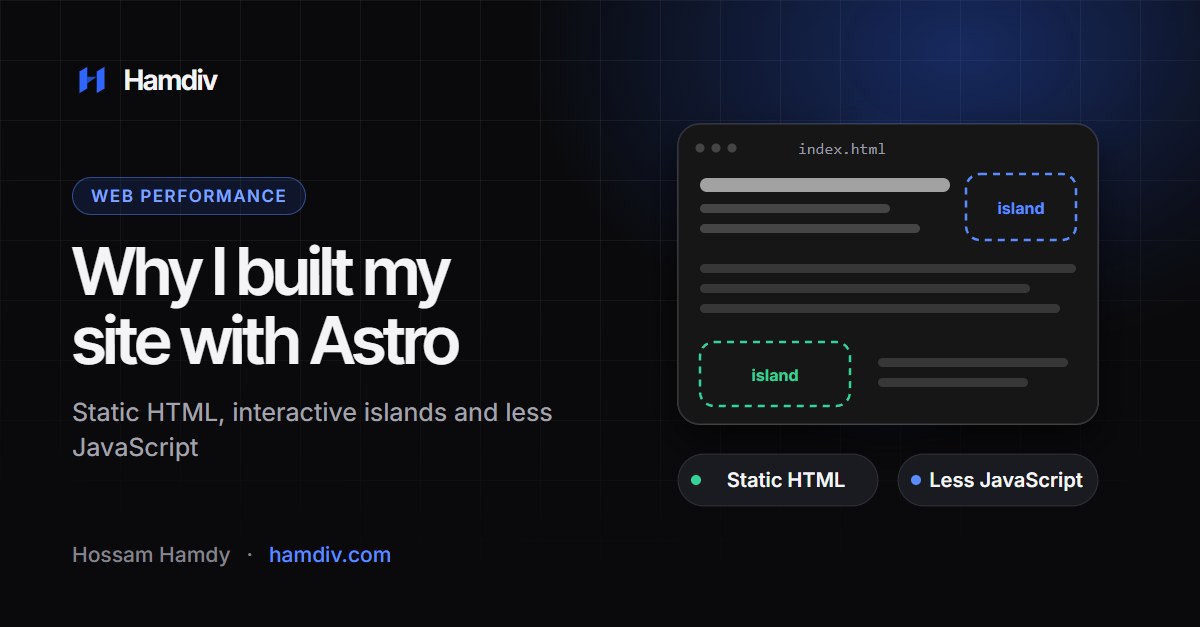
I build WordPress sites and WooCommerce stores for clients, but I built my own site, hamdiv.com, with Astro. Astro is a web framework that renders pages to plain HTML at build time and sends JavaScript to the browser only for the few parts that need it. For a content site, that single idea removes most of what makes pages slow.
This article explains what Astro does differently, how I used it for a bilingual Arabic and English portfolio, which real numbers I measured, what trade-offs I made, and when I would still choose WordPress instead. It is a case study of my own site, including the parts that are not perfect.
Key takeaways
- Astro ships zero JavaScript by default. Pages are static HTML, and interactive parts (“islands”) load their own JavaScript only when you ask for it.
- That default makes fast pages the easy outcome instead of something you fight for with plugins and caching.
- Astro is a strong fit for content sites such as portfolios, blogs and documentation. It is not a replacement for WordPress when a client needs to edit content or run a store.
- Speed still depends on your choices: one heavy feature can outweigh all the savings, and mine is a 3D Earth.
- Measure with real tools and report honestly. A lab score is a diagnostic, not a trophy.
What Astro does differently
Most pages on the web are mostly text, images and links, and they do not need a JavaScript application to display them. A typical client-side framework still sends the framework and your components to the browser, which then rebuilds the page you could have received as HTML.
Astro flips that:
- HTML first. Pages are rendered to static HTML at build time, so the browser can show content as soon as the HTML and CSS arrive.
- Islands. A component that needs interactivity, such as a menu or a chart, becomes an island. You choose when it loads: immediately, when the page is idle, or when it scrolls into view. Everything else stays plain HTML.
- Bring your own tools. You can use components from React, Vue, Svelte and others where useful, or none at all.
- Built-in content tools. Content collections give you typed Markdown content, and the image tools resize and convert pictures to modern formats at build time.
The result is a small, predictable amount of code on the page.
How I built hamdiv.com
My site is a bilingual portfolio with a blog, project pages and a profile. Here is what the stack looks like and why each choice helps speed:
- Static pages for every route. Home, profile, 15 project pages and the blog are generated as HTML in both English and Arabic. There is no server work per visit.
- Content collections for the blog. Articles are Markdown files with typed frontmatter. Each article exists in both languages, and the site generates the language alternates, the sitemap and the RSS feeds from the same data.
- Optimized images. Screenshots and photos go through Astro’s image tools, which produce responsive sizes in WebP so phones do not download desktop-sized images.
- Self-hosted, subset fonts. The fonts are small files served from the same domain, preloaded for the page’s language, with a swap fallback so text appears immediately.
- Logical CSS properties. Layouts use
inline-size,margin-inlineand similar properties, so the Arabic right-to-left version works without a second stylesheet. I wrote about that approach in the Arabic RTL WordPress guide. - Structured data at build time. The JSON-LD for the person, the articles and the FAQs is generated by code from the same content, so it never drifts out of date. The schema markup guide covers why that matters.
None of this needs a plugin, a cache layer or a database. That is the practical benefit: the fast path is the default path.
What I measured
I ran Lighthouse (version 12, mobile profile with simulated slow 4G and a 4x CPU slowdown) against the live home page in November 2026. The results that matter for the content:
- First Contentful Paint: about 1.6 seconds.
- Largest Contentful Paint: about 1.6 seconds, which is inside Google’s “good” range of 2.5 seconds or less.
- Cumulative Layout Shift: 0.
Those are good numbers for a visually rich page under deliberately harsh conditions, and they come from the static HTML, the optimized images and the fonts. Lab results vary from run to run and machine to machine, so treat them as a snapshot, and judge real-world speed with field data from Google Search Console, as I describe in the Core Web Vitals guide.
The trade-off I chose on purpose
My home page has a live 3D Earth behind the content. It is the signature element of the brand, and it is also the heaviest thing on the site. It is built with WebGL and loads after the content, so the text, images and layout appear first. But a WebGL scene still costs processing time on the main thread, and it is the main reason my lab “total blocking time” is higher than a plain Astro page would have.
I am telling you this because it is the real lesson of the project: a fast framework gives you a head start, not a guarantee. One decorative feature can use up the headroom you gained. I made that choice knowingly, and I keep improving how the scene loads, but a client’s brochure site should not make the same trade.
Astro vs WordPress: which should you use?
I use both, for different jobs:
- Choose WordPress or WooCommerce when you or your team need to edit content in a dashboard, when you sell products, or when you rely on the plugin ecosystem. You can still make WordPress fast, and I explain how in the WordPress speed guide and the WooCommerce speed guide.
- Choose Astro when the site is mostly content that changes through code or Markdown, when you want the smallest possible page weight, and when a developer maintains it. Portfolios, documentation, marketing sites and blogs fit well.
- Combine them when it makes sense: WordPress as the content source and Astro as a fast front end, though that adds complexity you should only take on for a reason.
For a typical business that needs a website it can update itself, the answer is often a lean custom WordPress theme. I compare the options in Elementor vs a custom WordPress theme.
What I would tell a client who asks about Astro
- Ask what the site must do. If staff must edit pages or sell products, WordPress or a store platform is probably the better tool.
- Set a performance budget before you design: the page weight and the number of scripts you will allow.
- Treat every heavy feature as a cost. Animations, 3D, sliders and chat widgets all draw from the same budget.
- Measure on a phone, on a slow connection, and with real user data once the site is live.
Frequently asked questions
Is Astro faster than WordPress?
For a content site, a static Astro page is usually lighter than a typical WordPress page, because it sends little or no JavaScript and needs no server-side work per visit. A well-optimized WordPress site can also be fast, but you have to work for it with caching, image handling and plugin discipline.
What does zero JavaScript by default mean?
Astro renders your components to HTML at build time and removes the framework code from the final page unless a component is marked as interactive. You add JavaScript on purpose, one island at a time.
Can Astro handle an Arabic or bilingual site?
Yes. Astro has built-in internationalization routing, and with logical CSS properties and the right dir attribute, right-to-left layouts work cleanly. My own site is bilingual in Arabic and English.
Is Astro good for SEO?
It is a good base because pages are complete HTML that search engines can read immediately, and you control titles, canonical URLs, hreflang and structured data in code. Good SEO still depends on the content and links. The WordPress SEO checklist covers the technical points that apply to any site.
Should I rebuild my WordPress site in Astro?
Usually not, unless the site is mostly static content and a developer will maintain it. If you need editing, products or plugins, optimizing your WordPress site is the better investment.
Conclusion
Astro makes fast pages the default: static HTML, optimized images, small fonts and JavaScript only where it earns its place. On my own site that produced a quick first paint and no layout shift, and the one heavy feature I added on purpose showed that no framework removes the need to budget for performance.
If you want a fast website or store and are deciding between WordPress, WooCommerce and a static framework, I am Hossam Hamdy, a Front-End and WordPress developer in Mansoura, Egypt, with 4+ years of experience and 25+ websites and stores delivered for clients in Saudi Arabia, the UAE and Egypt. Get in touch through the contact section and I will recommend the right approach for your project.