Arabic WordPress Website: RTL, Fonts and Bilingual Setup Guide
How to build an Arabic WordPress website that works properly in RTL: language setup, fonts, hreflang, Arabic slugs, bilingual structure and a testing checklist.
In this article
An Arabic WordPress website needs more than translated text. WordPress must be set to an Arabic locale so the page direction and language attributes are right, the theme must have real RTL (right-to-left) styles, and the fonts, typography and URLs must be chosen with Arabic in mind. If the site is bilingual, you also need a clear language structure and correct hreflang tags so search engines show each visitor the right version.
Key takeaways
- Set the Site Language to Arabic, then choose a theme that ships real RTL support instead of patching a left-to-right design.
- Use CSS logical properties and test with real Arabic content, not lorem ipsum, because layout bugs only show with real text.
- For bilingual sites, decide the language structure first (plugin, multisite or separate sites) because changing it later is expensive.
- Add reciprocal hreflang tags and avoid forcing visitors into a language by their location.
- Self-host one or two Arabic fonts and limit weights, since Arabic fonts can be heavy.
Building an Arabic WordPress website: getting RTL support right
RTL support is a layer made of three parts: the language setting, the theme and your own CSS.
The language setting
In Settings > General, choose the site language. When an RTL language such as Arabic is active, WordPress outputs dir="rtl" and the correct lang attribute on the <html> element and loads the RTL version of its own admin styles. This is the foundation. Everything else builds on it.
For a bilingual site, the direction must change per page: Arabic pages are RTL, English pages are LTR. A good multilingual setup handles this for you; confirm it by viewing the source of each page.
The theme
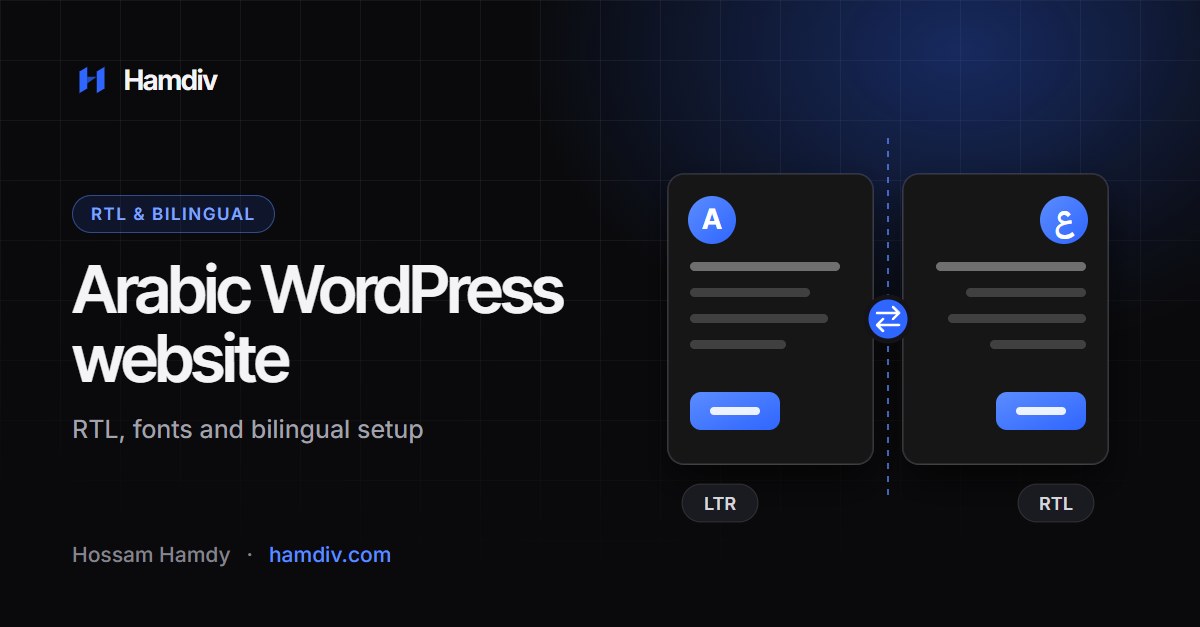
A theme “supporting RTL” should provide mirrored styles, usually an rtl.css file or RTL stylesheet variants, so the layout flips: the logo and menu move to the right, sidebars swap, text aligns right, and arrows and sliders mirror.
Check this before you buy or build. Switch the demo to Arabic and look for broken menus, overlapping icons, misaligned form fields and sliders that move the wrong way. A theme that claims RTL but needs dozens of overrides will cost you more in maintenance than a cleaner theme would. Pages built with page builders can also introduce their own RTL quirks, so test those widgets too.
Writing CSS that works in both directions
Instead of maintaining a separate set of left/right overrides, write layouts with logical properties that follow the reading direction automatically:
.card {
	padding-inline: 1rem;
	margin-inline-start: auto;
	border-inline-start: 4px solid currentColor;
	text-align: start;
}
margin-inline-start means “the side where the line begins,” which is left in English and right in Arabic. Flexbox and grid also follow the document direction by default, so avoid hard-coding float: left or text-align: left. The MDN guide to logical properties lists the full set.
Bilingual Arabic and English sites
If your audience reads both languages, you have three common ways to structure the site. There is no single best answer; it depends on content volume, team size and how different the two audiences are.
| Option | Strengths | Trade-offs |
|---|---|---|
| One site with a multilingual plugin (for example WPML or Polylang) | One admin, shared theme and plugins, translations linked together, easy language switcher | Plugin dependency, extra database content, some compatibility testing with other plugins |
| WordPress Multisite, one site per language | Clean separation, independent content and even design per language | More maintenance, separate plugin and settings per site, harder to sync content |
| Fully separate sites (own domains or installs) | Total independence, can target different countries or hosting | Highest maintenance, duplicated work and weaker shared management |
For most small and medium businesses, a single site with a well-supported multilingual plugin is the practical starting point. Multisite or separate sites make sense when the Arabic and English audiences need genuinely different content, teams or markets. If you run a store, check that the plugin you pick handles products, attributes and checkout; the WooCommerce SEO guide covers the duplicate content traps that appear once you add languages.
URL structure
Typical choices are a subfolder (example.com/ar/), a subdomain (ar.example.com) or a separate domain. A subfolder is usually simplest to manage and keeps everything under one domain, but the right choice depends on your setup. Whichever you pick, keep it consistent.
hreflang and language switching
hreflang tells search engines which language version to show to which users. Each version should reference itself and every alternate, and the references must be reciprocal:
<link rel="alternate" hreflang="ar" href="https://example.com/ar/" />
<link rel="alternate" hreflang="en" href="https://example.com/" />
<link rel="alternate" hreflang="x-default" href="https://example.com/" />
Multilingual plugins and major SEO plugins can output these automatically; verify on real pages. Google documents the details in its guide to localized versions of your pages.
Also give users a visible language switcher on every page that links to the equivalent page in the other language, not just to the homepage. Avoid automatically redirecting visitors by IP address or browser language, since it can block search engines and frustrate people who want the other version.
Arabic fonts and performance
Arabic fonts contain many glyph forms (letters change shape depending on position), so files can be larger than Latin fonts. A few habits keep the site fast, and they connect with the advice in the guide to passing Core Web Vitals:
- Choose one Arabic font family, plus a Latin font only if the design needs one. Well-known open options include Cairo, Tajawal, Almarai, IBM Plex Sans Arabic and Noto Sans Arabic.
- Limit the weights. Regular and bold are often enough; every extra weight is another file.
- Self-host the font files instead of calling a third-party stylesheet, and use WOFF2.
- Use
font-display: swapso text appears immediately with a fallback. - Preload only the main font file used above the fold.
- Subset when possible so Arabic and Latin are separate files loaded only when needed.
Test your fallback font too. If the web font fails or loads late, the fallback should still look readable, not like broken boxes.
Arabic typography details that matter
Good Arabic typography is not just flipping the layout.
- Line height: Arabic script has dots and marks above and below the line, so it needs more vertical space than Latin. Increase line height compared with your English text and check body copy at small sizes.
- No letter-spacing: Arabic letters connect. Adding letter-spacing breaks the joins and makes words look wrong. Remove tracking from headings and buttons in Arabic.
- No italics or uppercase styling: Arabic script has no italic or capital forms. Use weight or colour for emphasis instead of faux italics.
- Numbers: decide between Western digits (0-9) and Arabic-Indic digits (٠-٩) and be consistent. Many Gulf business sites use Western digits for prices and phone numbers for clarity.
- Punctuation: use the Arabic comma (،), semicolon (؛) and question mark (؟) in Arabic text.
- Mixed text: English brand names, numbers and URLs inside Arabic sentences can jumble punctuation. Wrap such inline items with
<bdi>or usedir="auto"on user-generated fields. - Icons: mirror directional icons (arrows, back/next, chevrons, progress bars) but do not mirror logos, clocks, phone icons or media play buttons.
Arabic permalinks and slugs
WordPress allows Arabic characters in slugs, and browsers display them readable. The trade-off appears when you copy or share the link: many apps convert it into a long percent-encoded string, which looks messy in messages and can break in some tools.
Both approaches work. Arabic slugs read naturally to Arabic users; short transliterated or English slugs are easier to share and type. Pick one convention per site, keep slugs short, avoid dates and numbers that will go stale, and set up 301 redirects if you change an existing URL. Do not assume either option boosts rankings; consistency and quality of content matter more. Review the rest of your URL and indexing setup using the WordPress SEO checklist.
Testing RTL layouts on an Arabic WordPress website
Do not trust a quick glance at the homepage. Walk through this list:
- Use real Arabic copy, including long headings and long product names.
- Check header, menu, mobile menu, footer, forms, search, cart and checkout.
- Verify date formats, currency symbols, number alignment and tables.
- Test mixed Arabic and English content, and form fields where users type either.
- Try several screen sizes, including small phones, and different browsers.
- Check emails, invoices, PDFs and notifications, which often forget RTL.
- Look at the page source for
lang,dirand hreflang values. - Review structured data and meta titles in Arabic for truncation and encoding.
Frequently asked questions
How do I make a WordPress website in Arabic?
Install WordPress, set the Site Language to Arabic in Settings > General, and choose a theme with proper RTL support. Then write content in Arabic, set up Arabic-friendly fonts and test every template with real text.
Does WordPress support RTL by default?
WordPress core supports RTL languages, including text direction and the admin screens. Whether the front end is truly RTL depends on your theme and plugins, so test them with Arabic active.
Which is better for a bilingual site: a plugin or separate sites?
A multilingual plugin on one site is simpler to manage for most businesses. Multisite or separate sites suit cases where each language needs independent content, teams or markets. The cost is more maintenance.
Should I use Arabic or English URLs?
Both work. Arabic slugs are readable for Arabic users but look encoded when pasted; English or transliterated slugs share more cleanly. Choose one standard and stay consistent.
What is hreflang and do I need it?
hreflang is a tag that links equivalent pages in different languages. If you publish Arabic and English versions of the same content, you should use it so search engines show the right version to each audience.
Planning your Arabic WordPress website
A solid Arabic WordPress website starts with decisions made early: language structure, theme, fonts and URL style. Most problems later come from a theme that only looks right in English or a language setup that was added as an afterthought.
I am Hossam Hamdy, a front-end and WordPress developer in Mansoura, Egypt, and I build Arabic and bilingual WordPress sites and stores for clients in Saudi Arabia, the UAE and Egypt, with a focus on speed and clean code. If you are planning an Arabic or bilingual site, contact me through the contact section and describe the project.