
FreeIn review at WordPress.org
Sessora
Your website’s AI consultant, inside WordPress.

- Version
- 1.0.0
- Status
- In review at WordPress.org
- Price
- Free
- Requires WordPress
- 6.5+
- Requires PHP
- 8.1+
- Tested up to
- 7.1
- Interface
- English, Arabic
- Licence
- GPLv2 or later
- Made by
- Hossam Hamdy · Hamdiv
Overview
Sessora reads every published page of your website the way a visitor and a search engine receive it, checks it against more than forty rules — SEO, accessibility, speed, content and technical setup — and turns what it finds into a short list of jobs, in the order that is worth the most for the work it takes.
With your own Google Gemini key — or, on WordPress 7.0 and later, the AI provider you connected in Settings › Connectors — it also reviews each page like a senior consultant, writes a summary of the whole website and answers your questions about it. Sessora only reads and advises: it never changes your content.
Features
-
Website and page scores
Every published page, post and public custom post type is read in each of its languages and scored out of 100.
-
More than forty checks
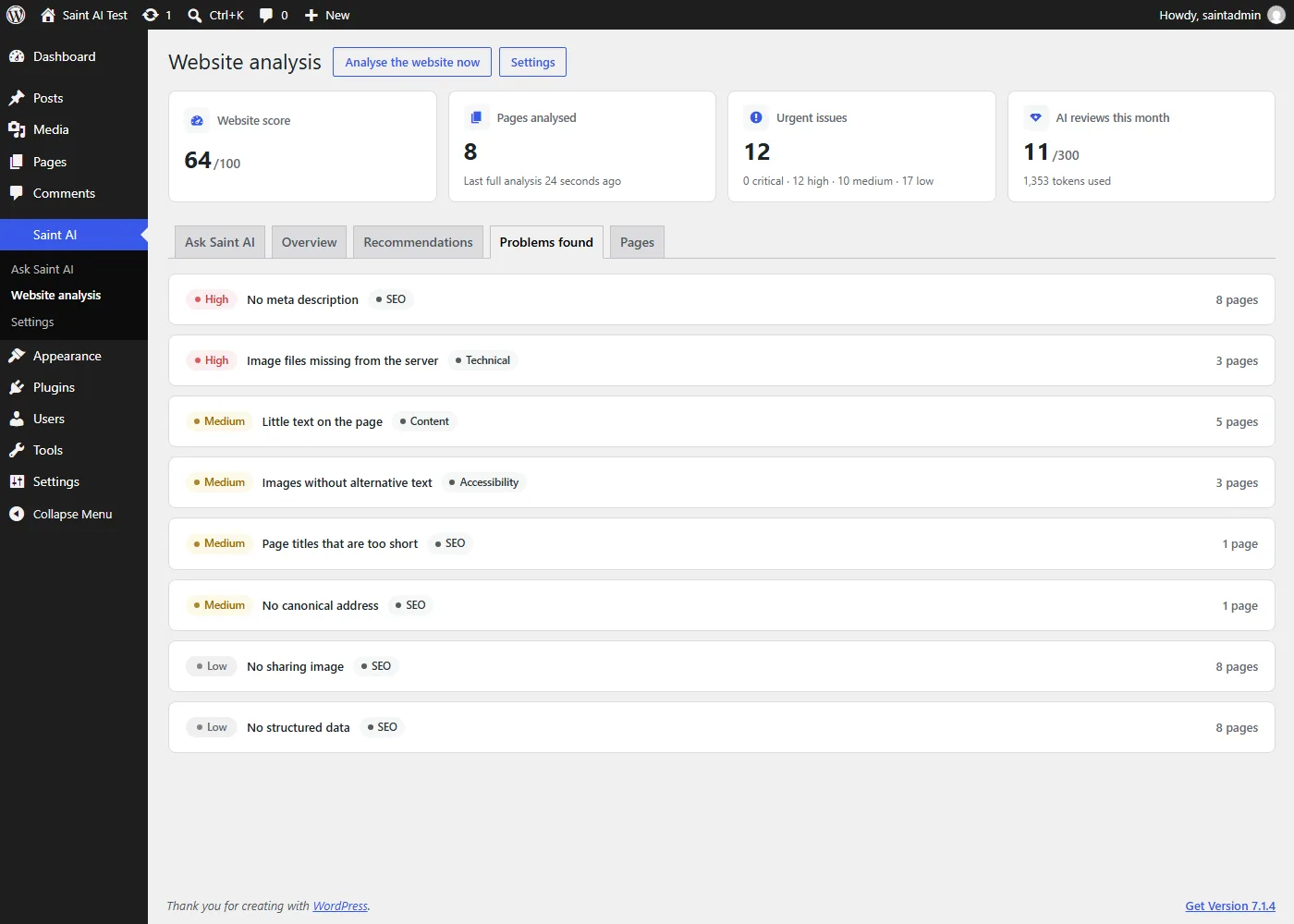
Titles and descriptions, H1 and heading order, noindex and canonical, alt text, missing images, broken links, orphan pages, thin content, slow answers, unlabelled fields, sitemap and HTTPS.
-
What to fix first
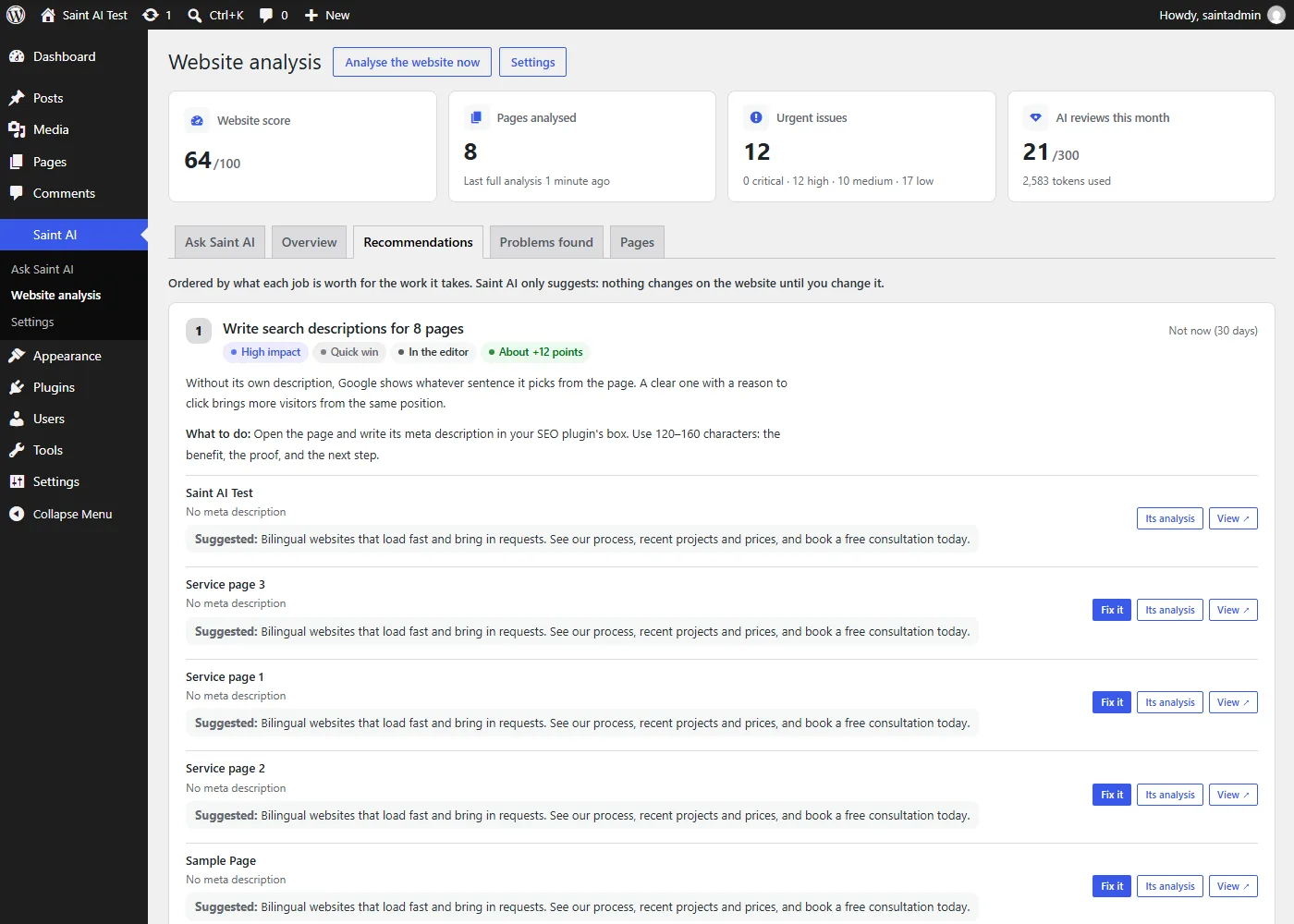
Checks become a handful of jobs, each with why it matters, who does it, how much work it is, the points it would gain and a “Fix it” link to the editor.
-
What changed
Each analysis is compared with the one before: problems that appeared or were fixed, pages that rose or fell, and a digest since your last visit.
-
Ask Sessora
A conversation box that knows your website: “What should we fix this week?”, “Suggest a better title for the homepage.”
-
Multilingual, Arabic and RTL
Works on any one-language website and reads every language when SaintLang is active. English and Arabic interface, REST API and WP-CLI.
What you control
- The AI is off until you switch it on and add your own key.
- A monthly limit on AI requests (300 by default).
- Only public pages are sent — never form entries, users or comments.
- No telemetry, no tracking, no calls to the author’s servers.
Screenshots
-
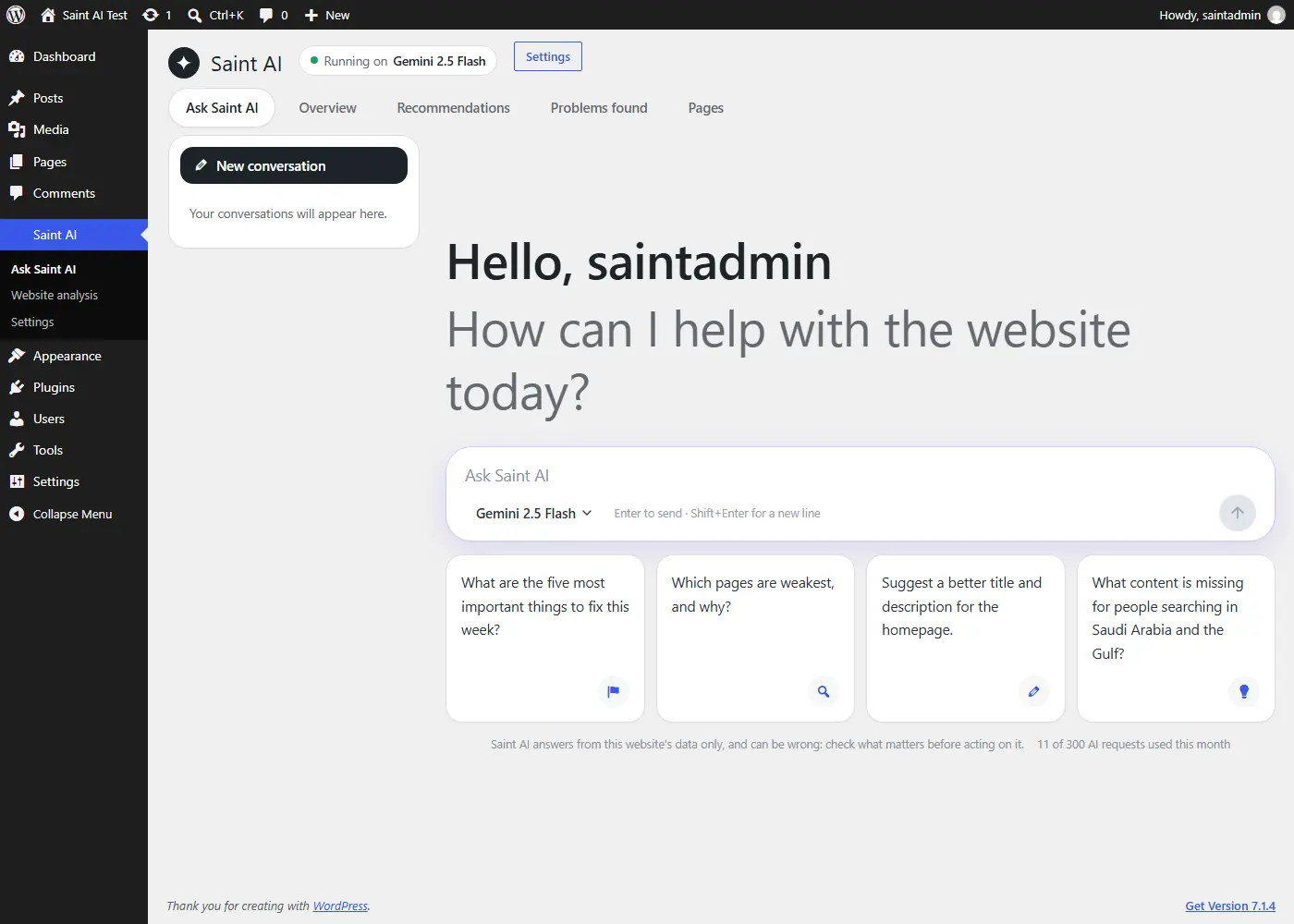
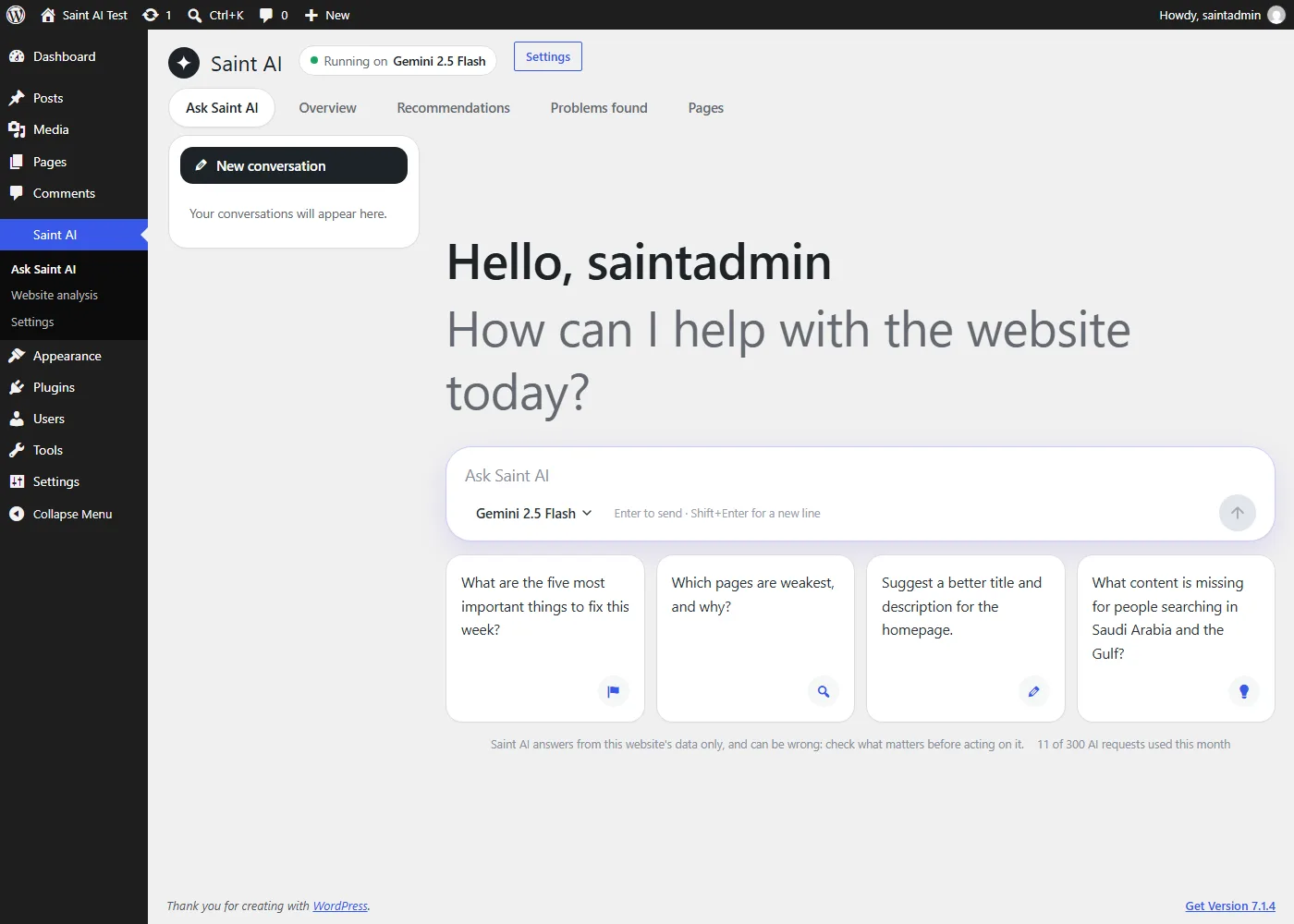
Ask Sessora: one box that answers questions about your website. -
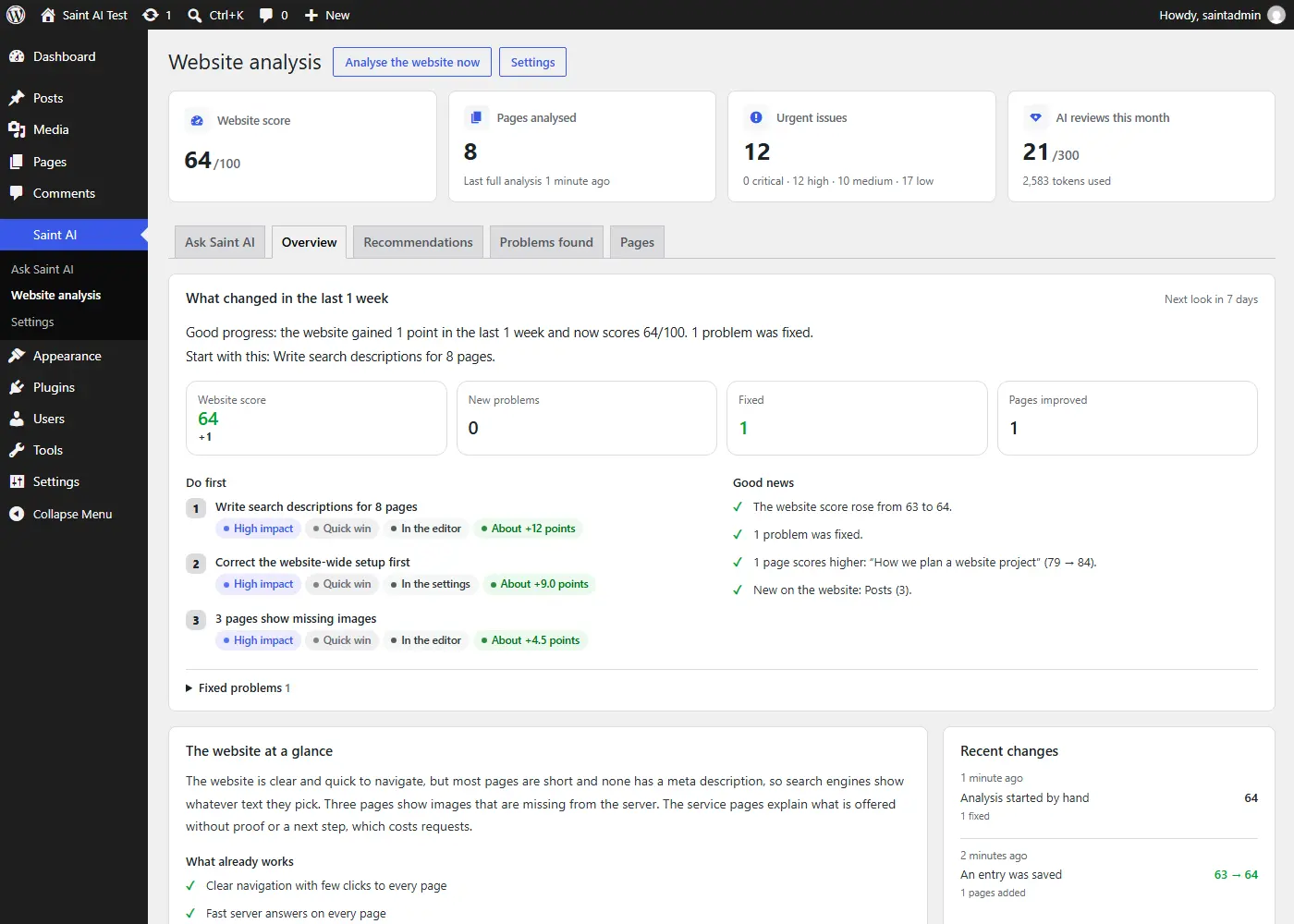
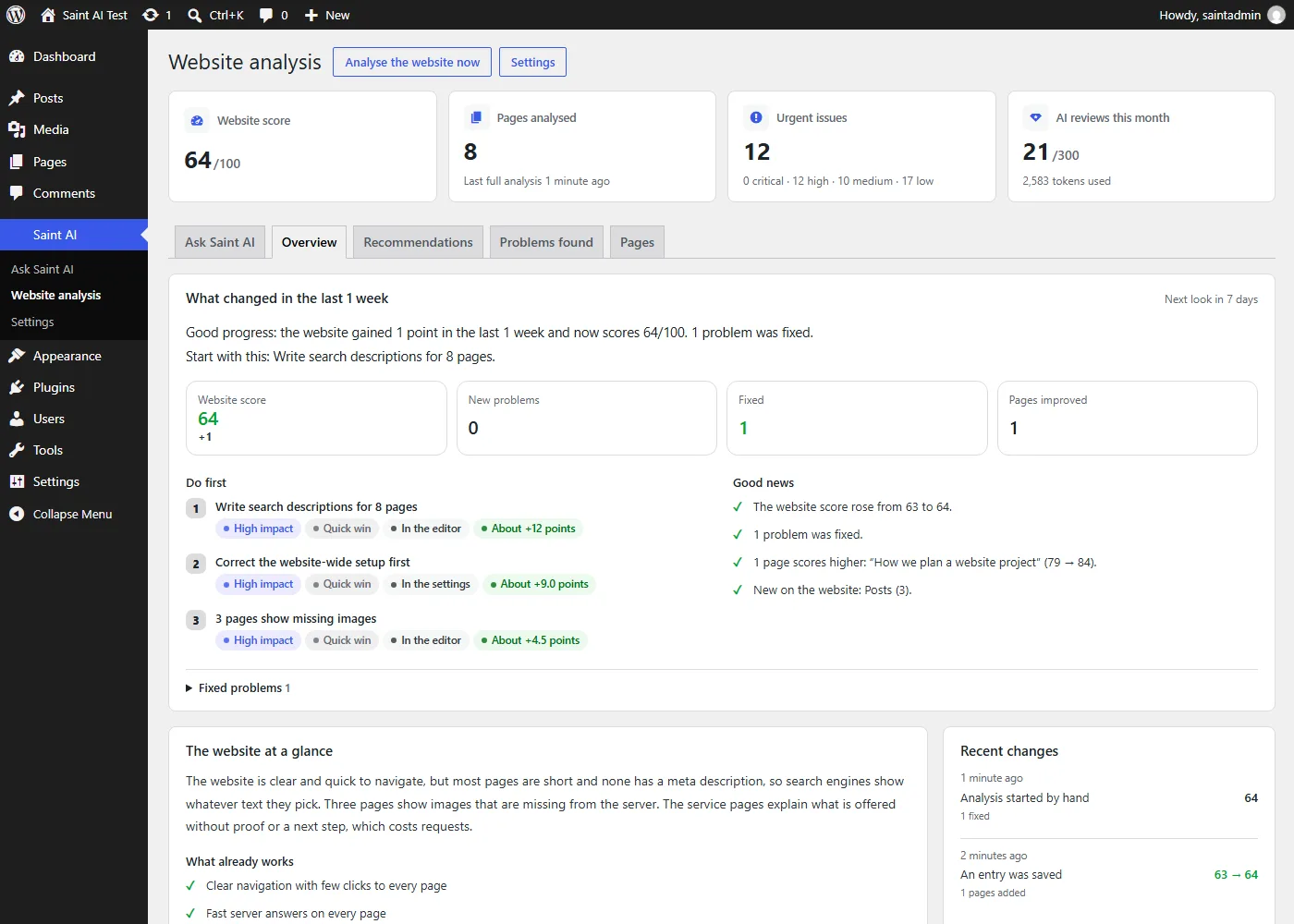
The overview: website score, what changed since your last visit, what to do first. -
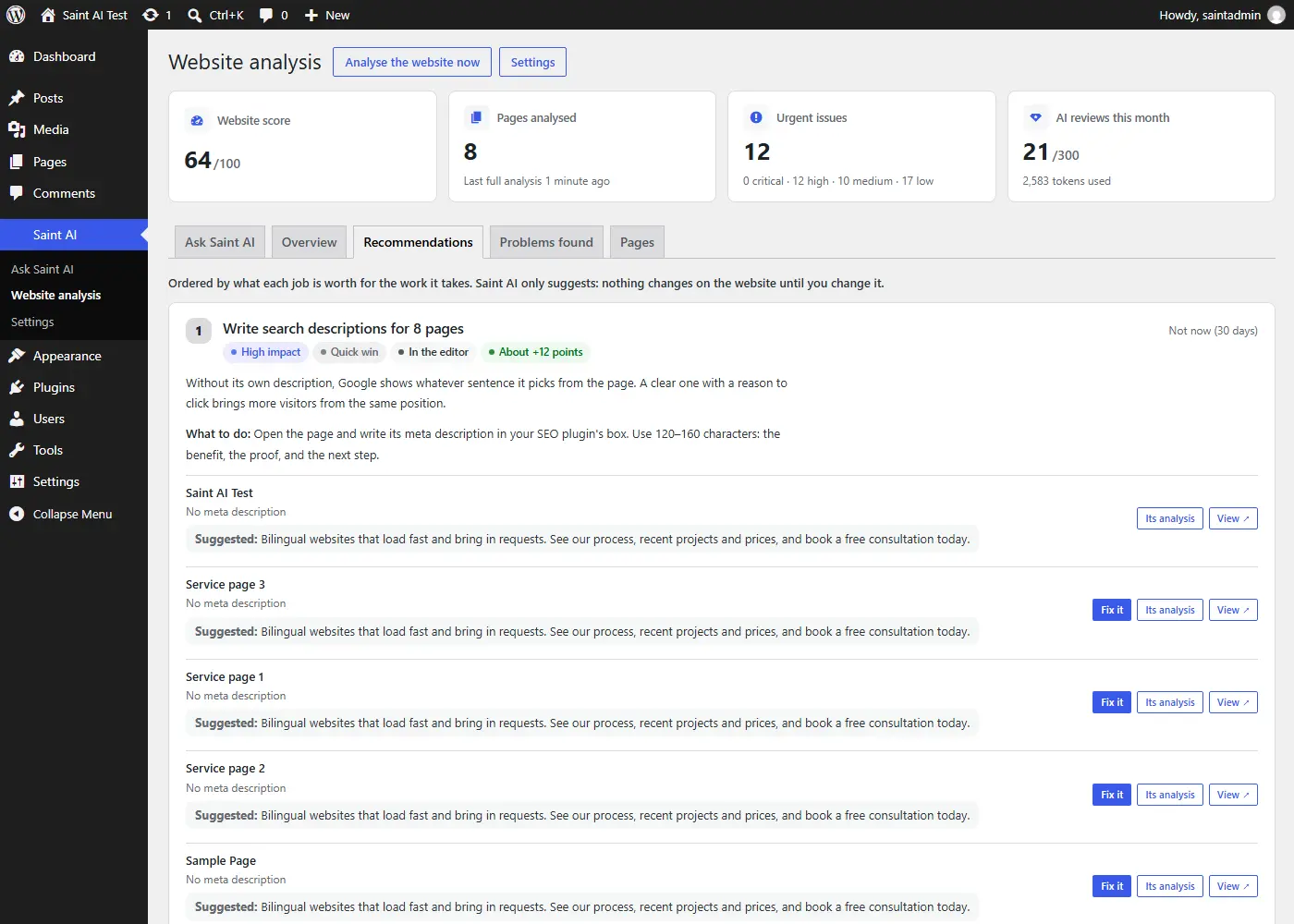
Recommendations in order, with the points each would gain and links to fix each page. -
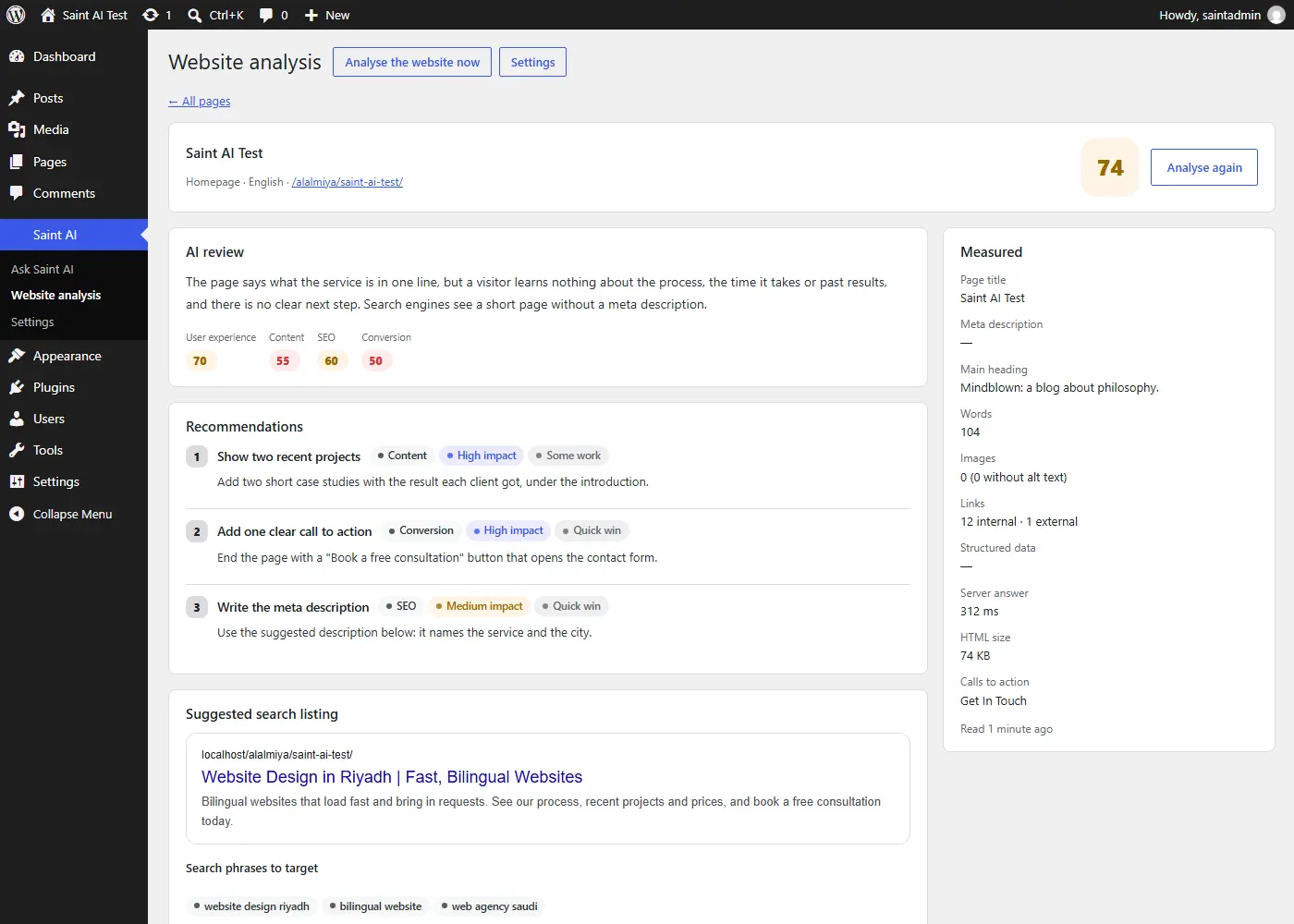
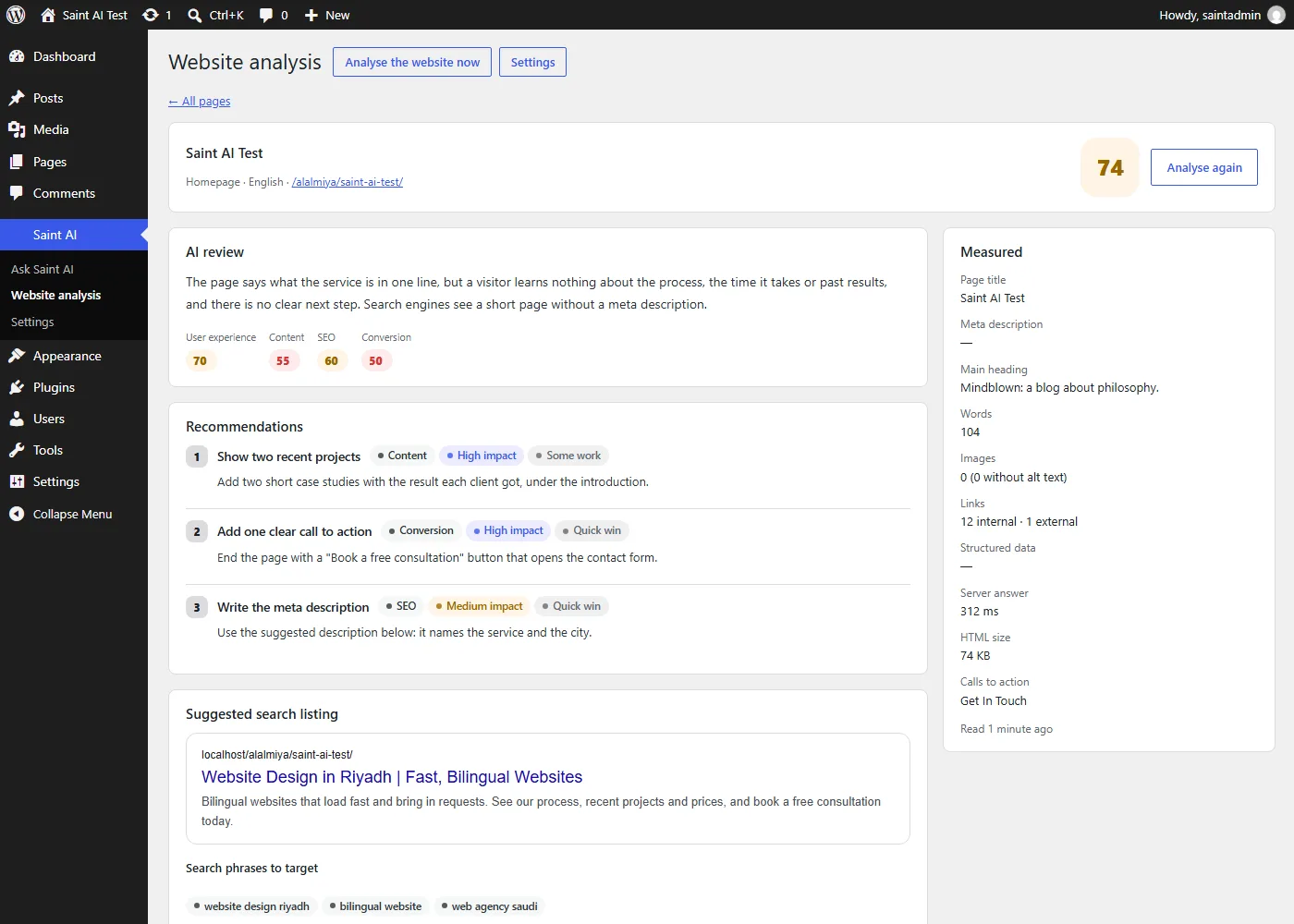
A page’s review: diagnosis, scores, recommendations and a suggested search listing. -
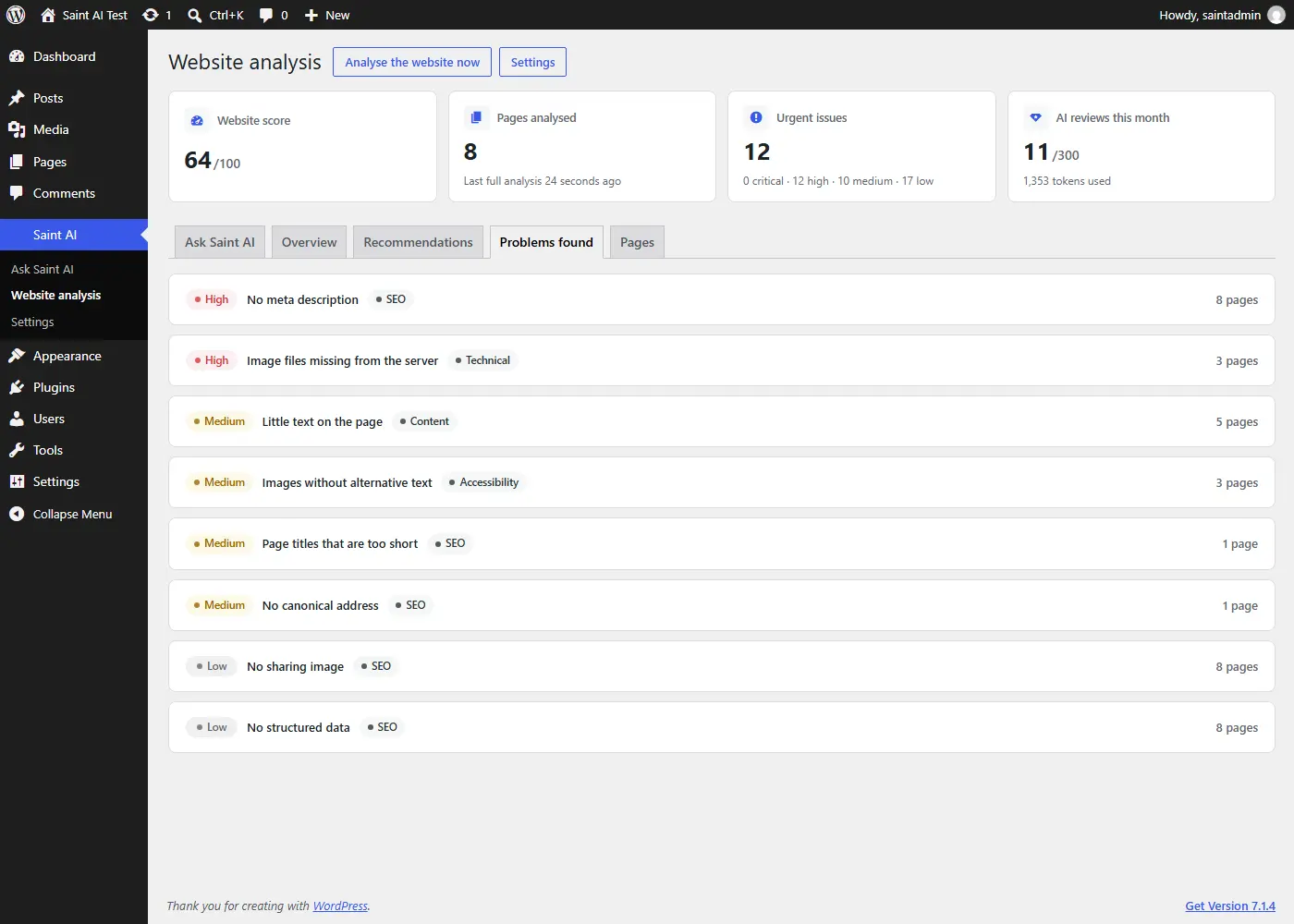
Problems found, grouped, with the pages that have each. -
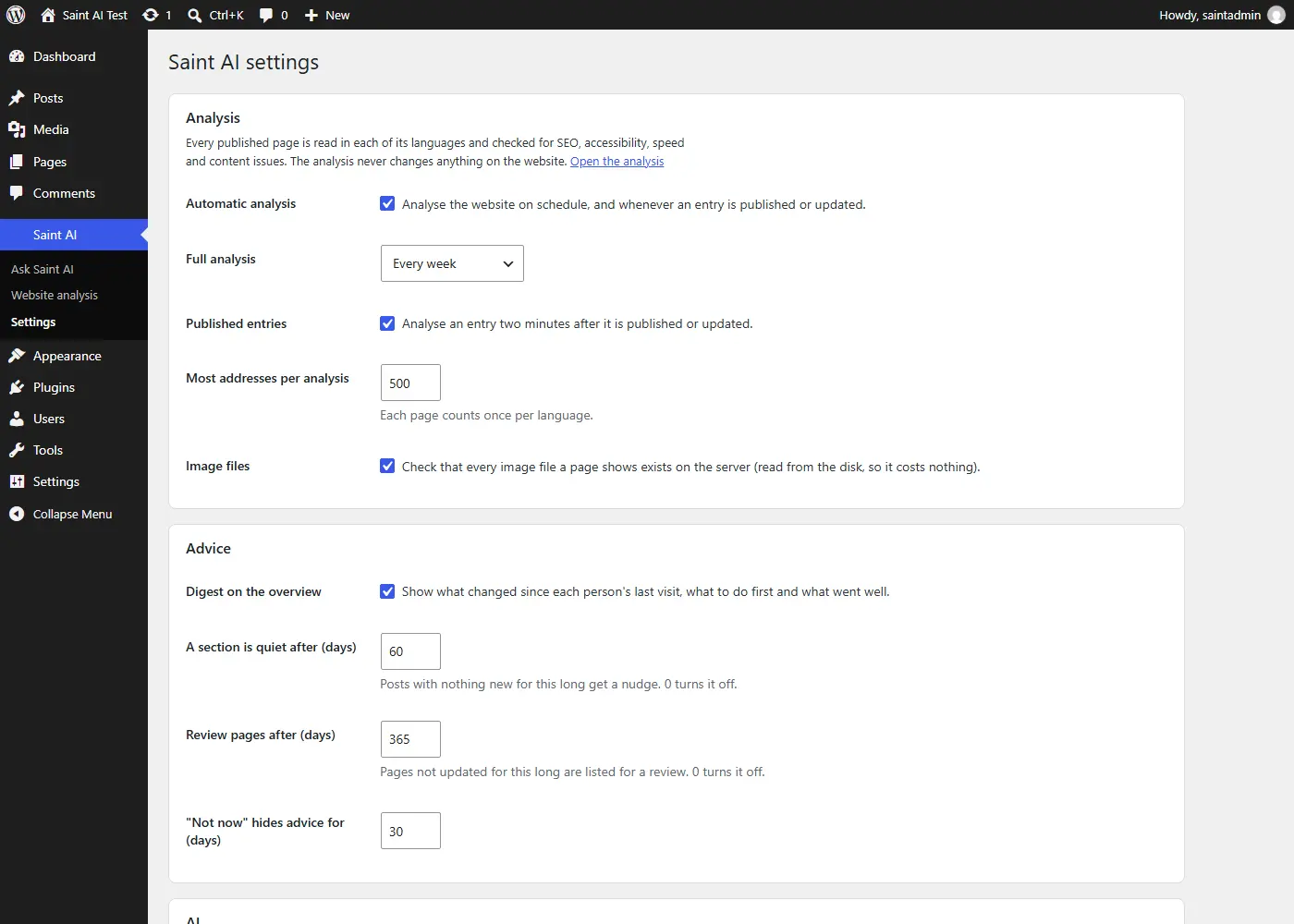
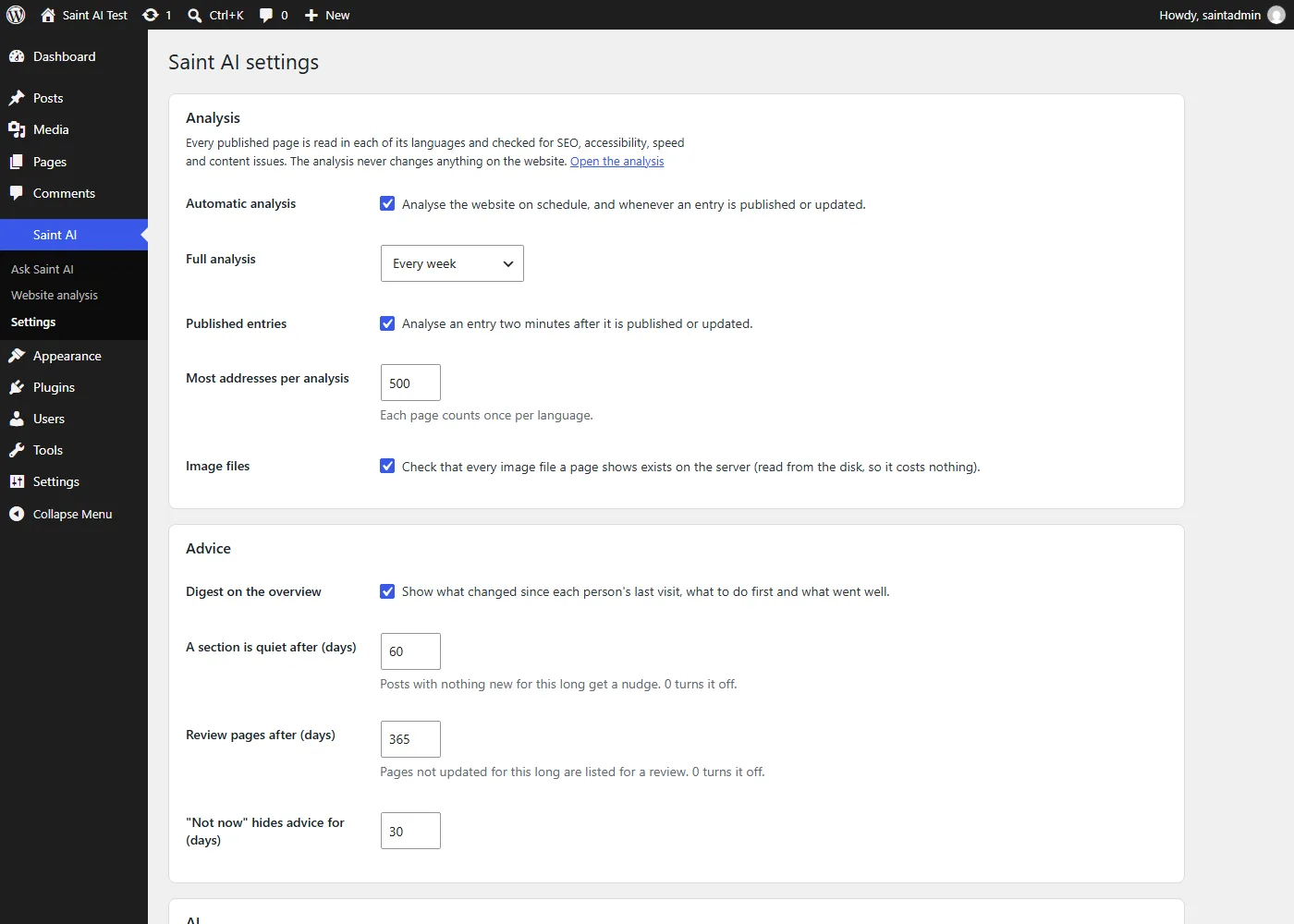
Settings: analysis schedule, advice, AI service and models.
FAQ
Questions
Does Sessora change my content?
No. It reads pages and links you to where they are edited. Nothing on the website changes until you change it.
Do I need an AI key?
No. The analysis, scores, recommendations and change history work without any key. The key adds AI page reviews, the website summary and the conversation.
When will Sessora be on WordPress.org?
Sessora has been submitted to the WordPress.org plugin directory and is waiting for its review. This page links to it as soon as it is approved.
More plugins
-
 On WordPress.org
SaintLang
Editor-first multilingual WordPress.
SaintLang is a free multilingual WordPress plugin by Hossam Hamdy: same post ID for every language, language URLs, hreflang, string translation and optional AI.
Free View plugin -
 Launching soon
Sessora Pro
More AI services, a constant watch and your own brand.
Sessora Pro adds ChatGPT and Claude, continuous watch, an email digest, web research and white label to Sessora. Free for life for founding members.
Paid add-on · From $59 a year View plugin