SaintLang: A Multilingual WordPress Plugin with Same-ID Translations and Built-In SEO
SaintLang is a free multilingual WordPress plugin: one post ID for every translation, language URLs, hreflang, string translation and optional AI. See how it works.
In this article
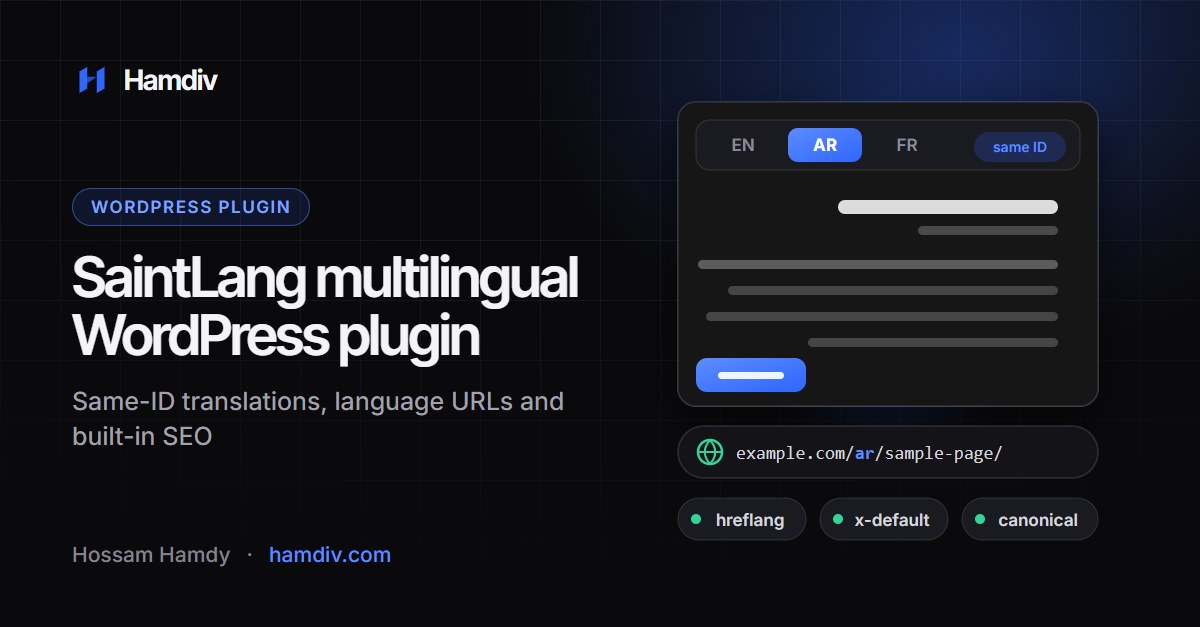
SaintLang is a multilingual WordPress plugin that keeps every translation attached to the same native post, page or product ID instead of creating a second post for each language. You pick a language in a bar above the normal editor, translate in the editor you already know, and SaintLang serves the right version on its own language URL with hreflang, canonical and fallback handled for you. I built it for fast editing, clean multilingual SEO and Arabic and RTL support from the start.
This is the full guide: how SaintLang stores translations, how editing works, what it does for SEO, how it handles strings, WooCommerce and ACF, what the optional AI features do (and do not do), and how to get started. SaintLang is free and listed in the official WordPress.org plugin directory.
Key takeaways
- One content item, one ID: translations are stored per language against the same post, page, product or custom post type ID, not as duplicate posts.
- A language bar in Gutenberg and the Classic Editor opens the native editor in the chosen language, and WordPress’ own Update button saves that language.
- Language URLs come in three modes (directories, subdomains or a query parameter), with hreflang, x-default and language-aware canonical URLs.
- String translation, a translation memory and a terminology glossary cover the rest of the site, and AI translation is optional.
- It works with WooCommerce, Advanced Custom Fields, Yoast SEO and Rank Math, detects Elementor and Bricks, and ships with an English and Arabic dashboard with RTL support.
What is SaintLang?
SaintLang is a translation workspace for WordPress. It requires WordPress 6.5 or newer and PHP 8.1 or newer, it is licensed under GPLv2 or later, and the current version is 1.1.2. It is free and listed in the official WordPress.org plugin directory, so you can install it from Plugins > Add New by searching for “SaintLang”.
It does five jobs:
- Manage languages. You add only the languages you want from a catalog of more than 50, choose a primary language and decide how language URLs look.
- Translate content. Titles, content, excerpts, featured images and Advanced Custom Fields are translated per language, in the editor.
- Serve the right version. Visitors get the right language by URL, with the original content as a fallback until a translation exists.
- Handle SEO. It outputs hreflang and x-default, keeps canonical URLs correct and audits missing or outdated translations.
- Translate everything else. Gettext strings from themes and plugins are translated on the public site through string translation, taxonomy terms are translated too, and a translation memory and a glossary sit behind both.
Why same-ID translations?
Many multilingual setups create a separate WordPress post for every language and link the posts together with a relationship. That works, but it means every product, page and article exists several times, and every tool, query and template has to know how to find the right copy.
SaintLang takes the other route. A page has one ID. Its translated title, content, excerpt and custom fields are stored per language in a dedicated table, and the plugin returns the right values for the visitor’s language.
| Separate post per language | SaintLang (same ID) | |
|---|---|---|
| How a translation is stored | A new post for each language, linked by a relationship | A row per language for the same post ID |
| IDs you work with | One ID per language version | One ID for all languages |
| Missing translation | Depends on the setup, often no page in that language yet | The original content is shown until the translation is saved |
| Custom fields | Copied or synced between posts | Stored per language against the same post |
| Main trade-off | Every copy is a normal post that any tool can query | Translations live in plugin tables, so reading them goes through the plugin |
Neither approach is wrong. If your project depends on tools that query posts directly, think about that trade-off before choosing. For sites where editors work all day in the WordPress editor, one ID per piece of content keeps things simple. It also means a product keeps the same ID, the same orders and the same relationships in every language.
SaintLang stores its data in its own tables: languages, post translations, strings and string translations, glossary, translation memory, jobs, an activity log and AI usage. The post-translation table has one row for each post and language, with columns for the title, content, excerpt, custom fields and a status.
The editing workflow
The goal was to avoid a separate translation screen. In both Gutenberg and the Classic Editor there is one language bar:
- Click a language and the native editor opens in that language.
- WordPress’ own Update button saves that language only.
- The Posts and Pages lists get language tabs that switch without a full page reload.
- A fallback shows the original content until you save a translation, so nothing breaks while a language is half finished.
Several details matter in real projects:
- Advanced Custom Fields: all field types are supported, including repeaters and flexible content. Edit them as usual inside a language, and
get_field()andthe_field()return the value for the visitor’s language, falling back to the original when a field is not translated yet. - Featured image per language: choose a different image while editing a translation and it applies to that language only. Choose the original again, or remove it, and the translation follows the original once more. Translatable ACF images and galleries behave the same way.
- Outdated translations: SaintLang keeps a hash of the source content. When the source changes after a translation was saved, the translation can be marked as outdated, so you know what to review. This is on by default and can be turned off.
Language URLs and multilingual SEO
SaintLang supports three URL modes, set under SaintLang > Settings.
| Mode | Example | Notes |
|---|---|---|
| Language directories (recommended) | example.com/ar/sample-page/ | Needs pretty permalinks. On plain permalinks SaintLang switches to the query mode automatically. |
| Subdomains | ar.example.com | The primary language stays on the main domain. Point each subdomain to your site in DNS, with an SSL certificate that covers it. |
| Query parameter | example.com/sample-page/?lang=ar | The simplest mode, but the least clean URLs. |
For SEO, directories are the recommended choice, and the plugin handles the details that are easy to get wrong:
- hreflang: each singular page outputs an alternate link for every language that has a translation, plus the source language, so search engines can connect the versions. Languages without a translation are not listed.
- x-default: points to the source-language version. It can be turned off in settings.
- Canonical: each translation points to its own URL. When a language has no translation yet and the original is shown as a fallback, the canonical points to the original, which avoids duplicate content.
- Yoast SEO and Rank Math: SaintLang filters their canonical output, so the language-aware canonical wins.
With English as the primary language, a translated page produces markup like this (example URLs):
<link rel="alternate" hreflang="en" href="https://example.com/sample-page/" />
<link rel="alternate" hreflang="ar" href="https://example.com/ar/sample-page/" />
<link rel="alternate" hreflang="x-default" href="https://example.com/sample-page/" />
Google explains the reasoning in its guide to localized versions of your pages. If you are checking your whole setup, the WordPress SEO checklist covers the foundations that sit around it.
SaintLang also includes an SEO audit that lists outdated translations and missing translations in active languages (for content that already has at least one translation) and returns a health score. You can run it from the dashboard, the REST API or WP-CLI.
Strings, terms, memory and glossary
Content is only part of a multilingual site. Buttons, form labels and theme text come from code.
- String Translation: SaintLang hooks into WordPress’ gettext functions (including plural and context variants) and lets you translate those strings per language. It can scan the site for strings, and you can do that from the dashboard or with
wp saintlang scan-strings. - Taxonomy terms: a term keeps one ID, and its name, description and custom fields can be translated per language. In code,
saintlang_term_name()returns a term’s name in a given language. - Translation memory: translations from AI requests and from the string translation screen are stored for reuse. When the same source text comes up again in the same language pair, the stored translation is used before any AI request is made.
- Glossary: define terms that must always be translated a certain way, and terms that must never be translated, such as brand names. The rules are added to the instructions sent through the WordPress AI Client. DeepL and Google Cloud Translation requests do not carry them.
Optional AI translation
SaintLang does not need an AI service. Manual translation, language management, the editor tabs, URLs, SEO, glossary and string translation all work without one. If you want machine translation, you can choose one of three providers:
| Provider | How it connects | Notes |
|---|---|---|
| WordPress AI Client | Through the provider you connect in Settings > Connectors (WordPress 7.0 or newer) | SaintLang never stores AI credentials and never calls a provider directly. |
| DeepL | Your DeepL API key | Free and Pro keys are supported. |
| Google Cloud Translation | Your Google Cloud API key |
A few things are worth knowing before you use it on a client site:
- Formatting is protected. With the WordPress AI Client, the instructions tell the provider to preserve HTML, Gutenberg block comments, shortcodes, placeholders, URLs and product codes. DeepL and Google Cloud Translation receive HTML-aware requests instead of those instructions.
- You control the voice. For the WordPress AI Client, choose a tone (natural, professional, friendly, luxury, technical or marketing) and add custom instructions of your own. The tone and custom instructions are not sent to DeepL or Google Cloud Translation.
- Bulk jobs run in the background. Translating many items creates a job that runs through Action Scheduler when it is available, or WP-Cron otherwise, with progress tracking.
- Usage is logged. SaintLang records the provider, languages, and input and output size for each request, so you can see how much was sent.
- Nothing is sent on its own. Content leaves your site only when a provider is configured and an authorized user runs a translation action.
Review machine translation before you publish it, especially for legal text, medical text and product specifications. Treat it as a fast first draft that your editors approve.
WooCommerce, ACF and page builders
SaintLang detects the tools multilingual sites usually depend on and works with them like this:
| Tool | What SaintLang does |
|---|---|
| WooCommerce | Translates products on the same product ID, so price, stock and attributes stay on one product. |
| Advanced Custom Fields | Translates all field types, including repeaters and flexible content. |
| Yoast SEO and Rank Math | Makes their canonical URLs language-aware. |
| Elementor and Bricks | Detected. Builder data stays on the same post ID. |
SaintLang does not translate builder layouts with a dedicated integration, so test pages built with Elementor or Bricks on a staging copy before you rely on them.
For stores, keeping one product ID matters: stock, orders and relationships stay attached to one product in every language. If you sell in more than one language, the guide to WooCommerce SEO for product and category pages is a good companion read.
Built for Arabic and RTL
I develop mostly for Arabic and bilingual projects, so this part is not an afterthought:
- Language catalog: more than 50 languages, including Arabic and its regional variants for Saudi Arabia, Egypt and the UAE. Each language carries its own RTL flag.
- Arabic dashboard: the SaintLang interface is available in English and Arabic with full RTL support, and the choice is saved per user.
- Scoped direction changes: SaintLang does not reposition, restyle or flip the native WordPress admin menu or toolbar. Direction changes apply only inside the SaintLang screens.
- No external requests: the interface font (Cairo), icons and country flags are bundled with the plugin, so nothing loads from a third-party server.
If you are planning an Arabic or bilingual site, read how to build a proper Arabic and RTL WordPress website too. It covers fonts, layout testing and the choices around them.
The language switcher
SaintLang can add a language switcher to your header automatically (this is off by default), and you can place one anywhere with a shortcode:
[saintlang_switcher flags="1" names="1" hide_current="0" style="dropdown"]The style attribute accepts dropdown, pills or minimal. Each language link carries lang and hreflang attributes. In the settings you can turn automatic placement on or off and choose between a smart placement in your header menu and a floating switcher.
For developers
SaintLang exposes a small developer surface:
- PHP functions:
saintlang_current_language(),saintlang_get_languages(),saintlang_translate_string(),saintlang_term_name()andsaintlang_with_language(), which runs a callback with another language active. - A filter:
saintlang_translatable_post_typelets you exclude private post types, such as form entries or logs, from translation. - REST API: routes under
saintlang/v1for languages, translations, strings, the glossary, jobs, the SEO audit, settings and health, each protected by capability checks. - WP-CLI:
wp saintlang languages,wp saintlang scan-strings,wp saintlang translate 123 --to=arandwp saintlang seo-audit. - Roles: SaintLang Translator and SaintLang Translation Manager roles, so people can translate without full admin access.
// Keep a private post type out of translation
add_filter( 'saintlang_translatable_post_type', fn( $on, $type ) => 'my_form_entry' === $type ? false : $on, 10, 2 );

// Show something only on the Arabic version
if ( 'ar' === saintlang_current_language() ) {
	// ...
}
Performance, privacy and data safety
- Built for larger sites: object-cache-aware lookups, compact rewrite rules and automatic cleanup of old logs. To see how the rest of your site measures up, follow the guide to speeding up WordPress and passing Core Web Vitals.
- No telemetry: there is no advertising and no hidden tracking. When a visitor picks a language, a
saintlang_langcookie keeps background requests (such as cart updates) in that language, but the page URL always decides the language of a page. - Your translations are kept by default when you delete the plugin. Stored AI keys are always removed. To remove every table, option, role and post meta, add
define( 'SAINTLANG_REMOVE_ALL_DATA', true );towp-config.phpbefore deleting it. - Security: REST routes use permission callbacks and capabilities. The general WordPress security checklist still applies to your site as a whole.
SaintLang in production: the True Ventures website
The Arabic and English versions of the True Ventures website run on SaintLang. Arabic is the primary language and lives at the root of the domain, and English lives under /en/. This is the language markup that site outputs in its head, copied from the live pages:
<link rel="alternate" hreflang="ar" href="https://truevs.sa/" />
<link rel="alternate" hreflang="en" href="https://truevs.sa/en/" />
<link rel="alternate" hreflang="x-default" href="https://truevs.sa/" />
Each page points to its counterpart, and x-default points to the primary-language version. The page URL alone decides which language is shown, so a visitor, a crawler and a shared link all land on the same version.
Running the plugin on a real bilingual site is also where its rough edges show up. The per-language images and ACF galleries in version 1.1.2 were built while working on that site.
Moving from WPML
SaintLang detects an existing WPML installation and can import its post translations. The import supports a dry run, so you can preview what would be imported before anything is written. It reads WPML’s own translation table and groups translations of the same content together.
Polylang and TranslatePress are detected, but SaintLang does not import from them yet. Whatever you migrate, take a full backup first and test on a staging copy.
Getting started
- Install SaintLang from Plugins > Add New by searching for “SaintLang” (or download it from WordPress.org), then activate it.
- Open SaintLang in the WordPress admin menu.
- Add only the languages you want to use.
- Choose the primary language and the URL structure (directories are recommended).
- Open a post, page or product and use the language tabs in the editor.
- Add AI provider credentials only if you want machine translation.
- Run the SEO audit and the string scan, then add the language switcher.
When is SaintLang the right choice?
It fits well when you want one ID per piece of content, a fast editor-first workflow, strong Arabic and RTL support, and a plugin that keeps language URLs and hreflang correct for you. It is also a good fit for WooCommerce stores that should keep one product ID across languages.
It is a younger plugin than the long-established multilingual plugins, migration is available from WPML only for now, and a translated page keeps the original’s URL slug after the language prefix. If your project depends on a plugin that queries translated posts directly, test it carefully before you commit.
Frequently asked questions
Is SaintLang free, and where do I get it?
Yes. SaintLang is free, licensed under GPLv2 or later, and available in the WordPress.org plugin directory. In your dashboard, go to Plugins > Add New and search for “SaintLang”. It requires WordPress 6.5 or newer and PHP 8.1 or newer.
Does SaintLang create a separate WordPress post for every language?
No. SaintLang keeps translated fields attached to the same native WordPress content ID. Each language is stored as its own row for that ID.
What happens when a translation is missing?
SaintLang shows the source-language content as a fallback until that language is translated and saved. The canonical URL of that page points to the original, so search engines are not shown duplicate content.
Which URL structure should I use?
Language directories are recommended for multilingual SEO, for example /ar/sample-page/. They need pretty permalinks. On sites that use plain permalinks, SaintLang uses the ?lang= parameter instead.
Does SaintLang translate Advanced Custom Fields?
Yes. Open a post in a language from the language bar and edit its ACF fields as usual. Saving stores them for that language only, and get_field() returns the value for the visitor’s language, with a fallback to the original.
Does SaintLang require an AI service?
No. AI translation is optional. Everything else works without an AI account, and nothing is sent to a provider unless you configure one and run a translation.
What happens to my translations if I delete the plugin?
They are kept by default. Stored AI provider keys are always removed. To delete all SaintLang data, set the SAINTLANG_REMOVE_ALL_DATA constant in wp-config.php before you delete it.
Conclusion
SaintLang is a multilingual WordPress plugin built around one idea: translations should live with the content they belong to. One ID, a language bar in the editor you already use, correct language URLs and hreflang, and honest fallbacks, with AI as an option rather than a requirement.
SaintLang is free: install it from WordPress.org and try it on a staging copy of your site first. Feedback and reviews on the plugin page are welcome.
I’m Hossam Hamdy, a front-end and WordPress developer with 4+ years of experience building WordPress and WooCommerce sites for clients in Saudi Arabia, the UAE and Egypt. If you want to build a bilingual or multilingual site, or move an existing one, get in touch and tell me about your project.